
Every business that plans a new website eventually runs into the same question: should the site behave like a static website or a dynamic one? At first glance this looks like a purely technical choice, but it actually shapes how easily you can update content, how the site performs, how it scales, and how well it supports your marketing over time.
Because we build every website on WordPress rather than through custom coding, this Static vs Dynamic Website comparison isn’t about choosing between two different platforms. It’s about choosing how a WordPress website is set up and used — as a lean, mostly-fixed set of pages, or as a fully dynamic, database-driven experience. WordPress is flexible enough to deliver either outcome well, so the right setup simply depends on what your business needs. Neither approach is inherently superior. The right one depends on how often your content changes, what functionality you need, and where your business is headed.
Quick Answer
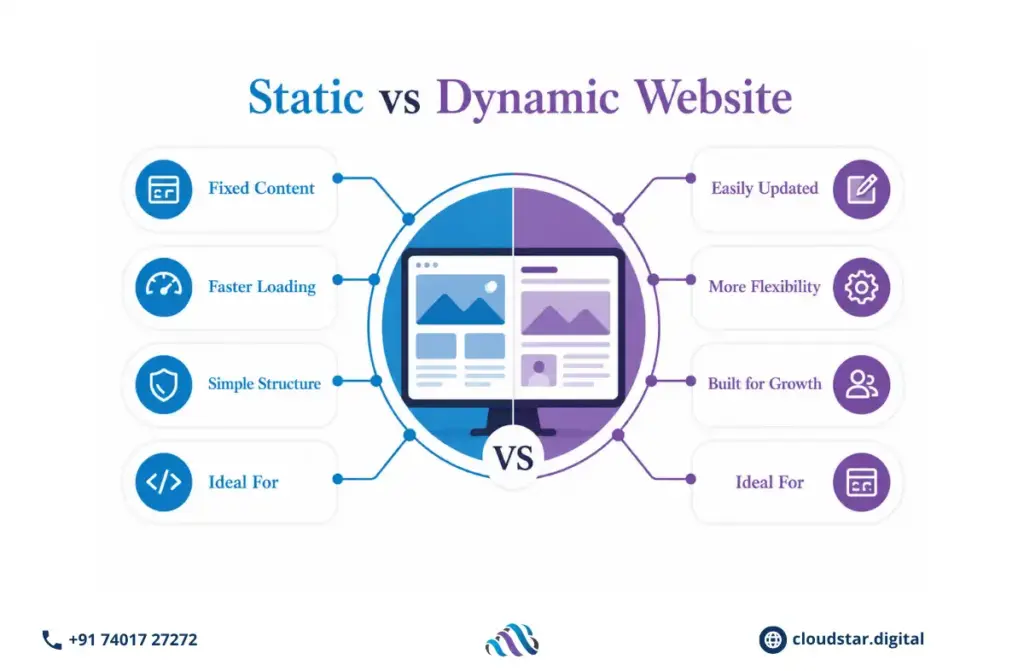
A static-style WordPress website keeps most pages fixed and simple. Content is set up once and only changes when someone deliberately edits it. This setup tends to load quickly, is easy to manage, and suits businesses that mainly need a clear, professional online presence without constant content changes.
A dynamic-style WordPress website relies more heavily on the database layer, using plugins and features such as WooCommerce, membership systems, booking tools, or frequently updated blogs. This setup suits businesses that need regular publishing, customer accounts, e-commerce, or interactive functionality.
A simple way to think about it:
- If your site mostly shares information and doesn’t change often, a leaner, static-style WordPress setup usually works well.
- If your site needs frequent updates, customer interaction, or growing functionality, a more dynamic WordPress setup usually serves you better.
Understanding a Static-Style WordPress Setup
Even though WordPress itself is a database-driven platform, it can be configured to behave much like a static website. This is done by keeping the page structure simple, limiting the number of active plugins, and using caching so that pages are served quickly with minimal processing.
This approach works well for:
- Business and service websites where the core message doesn’t change often
- Portfolios and brand websites
- Landing pages built for a specific campaign or offer
Why businesses choose this setup:
- Speed and performance: With fewer moving parts and effective caching, pages typically load fast and feel responsive to visitors.
- Simplicity and reliability: Fewer plugins and simpler page structures mean less that can go wrong, and updates are easier to manage.
- Lower day-to-day upkeep: With a smaller feature set, there’s less to monitor and maintain on an ongoing basis.
The trade-off is that this setup can start to feel limiting once a business needs frequent content changes, customer accounts, or more advanced interactive features.
Understanding a Dynamic-Style WordPress Setup
A dynamic-style WordPress setup makes full use of the platform’s database and plugin ecosystem. The Difference Between Static and Dynamic Web Pages becomes clearest here: instead of manually editing individual pages, content is managed through the WordPress dashboard, and features like product catalogs, bookings, or membership areas pull information from the database automatically.
This is common for:
- Healthcare websites managing large numbers of service pages, doctor profiles, and educational resources
- Online stores handling products, payments, and customer accounts through WooCommerce
- Educational sites managing courses, learners, and resources
- Businesses that publish content regularly as part of their marketing strategy
Why businesses choose this setup:
- Easier content management: New pages, posts, and updates can be published directly through the dashboard without touching every page individually.
- Room to grow: Additional pages, plugins, and integrations can be added as the business expands.
- Advanced functionality: Features such as site search, bookings, personalization, memberships, and customer dashboards become straightforward to add through trusted WordPress plugins.
The trade-off is that a more feature-rich setup needs more regular maintenance — plugin updates, security monitoring, and performance tuning — to keep running smoothly.
Static vs Dynamic Website: Key Differences
| Factor | Static-Style WordPress Setup | Dynamic-Style WordPress Setup |
| Content Updates | Managed through WordPress, but pages are updated less frequently | Managed through WordPress with frequent publishing and updates |
| Performance | Typically fast due to a lean structure and caching | Depends on plugin choices, hosting, and optimization |
| Maintenance | Lighter maintenance with fewer active plugins | Requires more regular monitoring and plugin management |
| Scalability | Well suited to smaller, predictable websites | Better suited to websites with growing content and features |
| Functionality | Best for straightforward, focused requirements | Supports advanced features like e-commerce, bookings, and memberships |
Comparing Static and Dynamic Websites: Which Performs Better for SEO?
A common misconception when Comparing Static and Dynamic Websites is that one setup automatically ranks better on Google than the other. That isn’t accurate. Google evaluates websites based on content quality, relevance, technical performance, user experience, and how well each page answers what a searcher is looking for — not on whether the site is set up as static-style or dynamic-style.
A static-style WordPress site can perform very well when it offers:
- Fast-loading pages that create a smooth user experience
- Clear, well-structured content aimed at specific search queries
- Clean technical SEO and a simple, logical site structure
A dynamic-style WordPress site can perform just as well when it offers:
- Consistent publishing and content expansion over time
- Strong internal linking across related topics
- SEO management that scales across hundreds or thousands of pages
What matters most isn’t the setup itself — it’s how effectively the website helps visitors find what they need and take action.
Which Setup Should You Choose?
The right choice depends on your business model, how often your content changes, and your plans for growth.
A static-style WordPress setup may suit you if:
- Your website mainly shares information about your business, services, or brand
- Content changes occasionally rather than constantly
- Your priority is speed, simplicity, and low maintenance
A dynamic-style WordPress setup may suit you if:
- Your business depends on regular content updates
- You need features like online payments, bookings, or customer accounts
- You expect the website to grow significantly over time
Many businesses also land somewhere in between — using a lean, static-style structure for core pages while adding dynamic functionality, like a blog or store, where it’s genuinely needed. WordPress makes this kind of hybrid setup easy to build and manage without custom code.
Common Mistakes to Avoid
- Choosing a setup based only on what feels simplest right now, without considering where the business is headed
- Under-building a site so much that it can’t support growth without a significant rebuild
- Over-building a site with features that add ongoing maintenance but little real benefit to visitors
- Skipping a clear look at goals, audience, and content plans before deciding how the site should be structured
Expert Perspective
What is a static vs. dynamic website? It’s a question every business asks when planning a new site, and the honest answer is that a website shouldn’t be judged by how advanced its setup looks. It should be judged by how well it supports your business goals and serves the people visiting it.
A static-style WordPress setup remains a strong choice because it offers speed, simplicity, and reliability. A dynamic-style WordPress setup remains just as valuable because it offers flexibility, scalability, and advanced functionality. Neither is the “better” technology on its own — the smartest approach is choosing the setup that solves your specific business problem, not the one that simply sounds more advanced.
Final Thoughts
Comparing a Static vs Dynamic Website in WordPress isn’t about picking the more impressive option. It’s about choosing the structure that best supports your goals today while leaving room for growth tomorrow. Whether you prefer a lean, static-style setup or a feature-rich dynamic-style setup, both can deliver an excellent user experience when designed around your business needs.
If your priority is a fast, simple, and reliable presence, a leaner static-style setup may be the right fit. If your business needs regular updates, advanced features, or room to scale, a more dynamic setup may serve you better. Either way, because everything is built on WordPress, you’re never locked out of evolving the site as your needs change.
Read also: How to Fix SEO Issues


